If you've ever spent hours trying to figure out the correct APA 7 format in Microsoft Word — adjusting margins, fighting with heading styles, or manually formatting your reference page — you know the pain. Whether you need an APA 7 citation formatted correctly, an APA 7 title page that follows the rules, or a complete APA 7 student paper format from scratch, the APA 7th Edition has over 300 pages of formatting rules. Nobody has time to memorize all that.
The Problem with Manual APA 7 Format
Most students and researchers lose 3-5 hours per paper on APA 7 format alone. That's time you could spend on actual research, writing, or literally anything else. Searching for an APA 7 template or APA 7 sample paper only gets you so far — templates break, and examples don't format your paper for you.
Common APA 7 formatting mistakes include:
- Incorrect APA 7 margins (APA 7 requires exactly 1 inch on all sides)
- Wrong font or size (12pt Times New Roman or 11pt Calibri/Arial)
- Improper APA 7 headings hierarchy (5 levels, each with specific formatting)
- APA 7 reference page errors (hanging indents, italics, punctuation)
- APA 7 running head mistakes (different rules for students vs. professionals)
- APA 7 in-text citation errors (and/& rules, et al., page numbers on quotes)
The Solution: Automated APA 7 Format
What if you didn't need to learn how to format APA 7 in Word at all? What if you could skip the manual work entirely and get a perfectly formatted APA 7 document back? That's exactly what SimpleFormat Pro does.
Here's how it works:
- Choose your style – APA 7, MLA 9, Chicago, IEEE, and more
- Paste your content – Title, abstract, body text, references
- Download – Get a perfectly formatted DOCX file
No APA 7 template to wrestle with. No manual adjustments. No learning how to format APA 7 in Word. The formatting is applied automatically based on the official style guide specifications.
What APA 7 Format Rules Get Applied Automatically
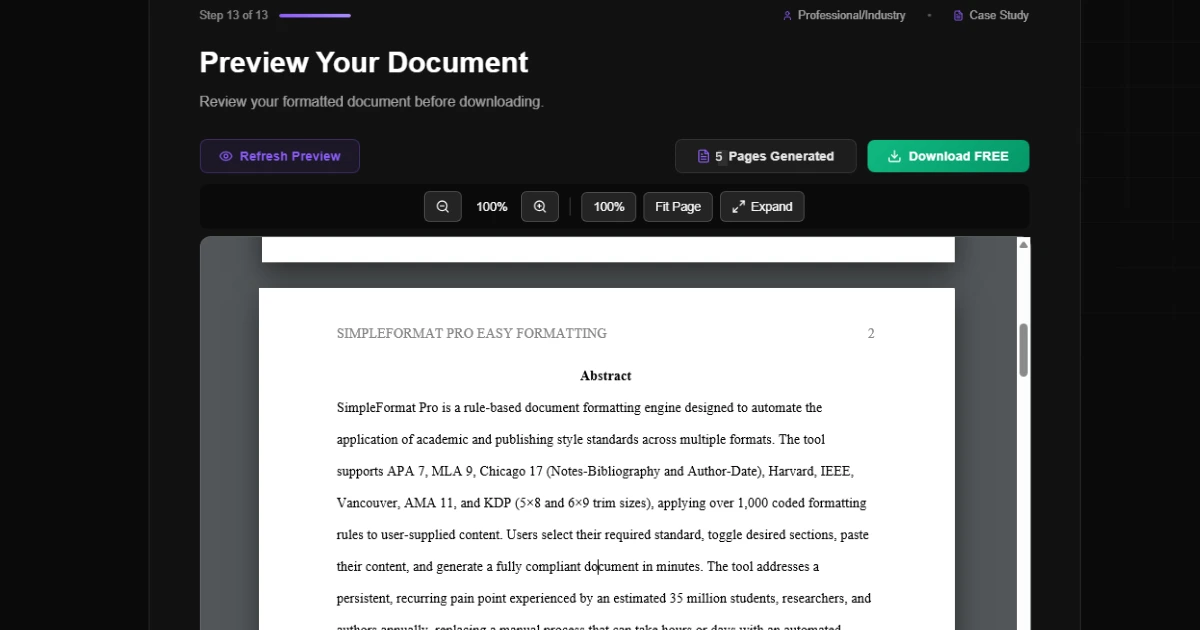
SimpleFormat Pro handles all the tedious APA format requirements:
- APA 7 margins and page layout
- APA 7 title page (student paper format or professional)
- APA 7 running head and page numbers
- APA 7 headings (all 5 heading levels)
- Body text formatting (font, spacing, indentation)
- APA 7 reference page formatting with hanging indents
- Tables and figures with proper APA 7 format
Who Needs APA 7 Format Help?
Whether you're a student looking for an APA 7 format example to follow, a researcher preparing a manuscript, or anyone searching "how to cite in APA 7" at midnight before a deadline, automated formatting saves you hours of work.
The tool supports multiple styles beyond APA 7, including MLA 9, Chicago, IEEE, Vancouver, and even KDP book formatting for self-publishers.
Ready to Format Your Document?
Stop fighting with margins and headings. Get a perfectly formatted paper in minutes.
Try SimpleFormat Pro Free →The Bottom Line on APA 7 Format
APA 7 format shouldn't be the hardest part of writing a paper. You don't need another APA 7 sample paper to study or an APA 7 template that breaks in Word. With the right tools, you can focus on your content and let the software handle every APA 7 citation, heading, margin, and reference page rule.
Try SimpleFormat Pro – it's free to preview your formatted document before you download.